AutoCut Studio
Edit faster. Keep the final say.
A Windows video editor that connects analysis, editing, audio, thumbnails, and final review in one flow.
See the actual flow on screen.
Step 01 / 04
- Step 01
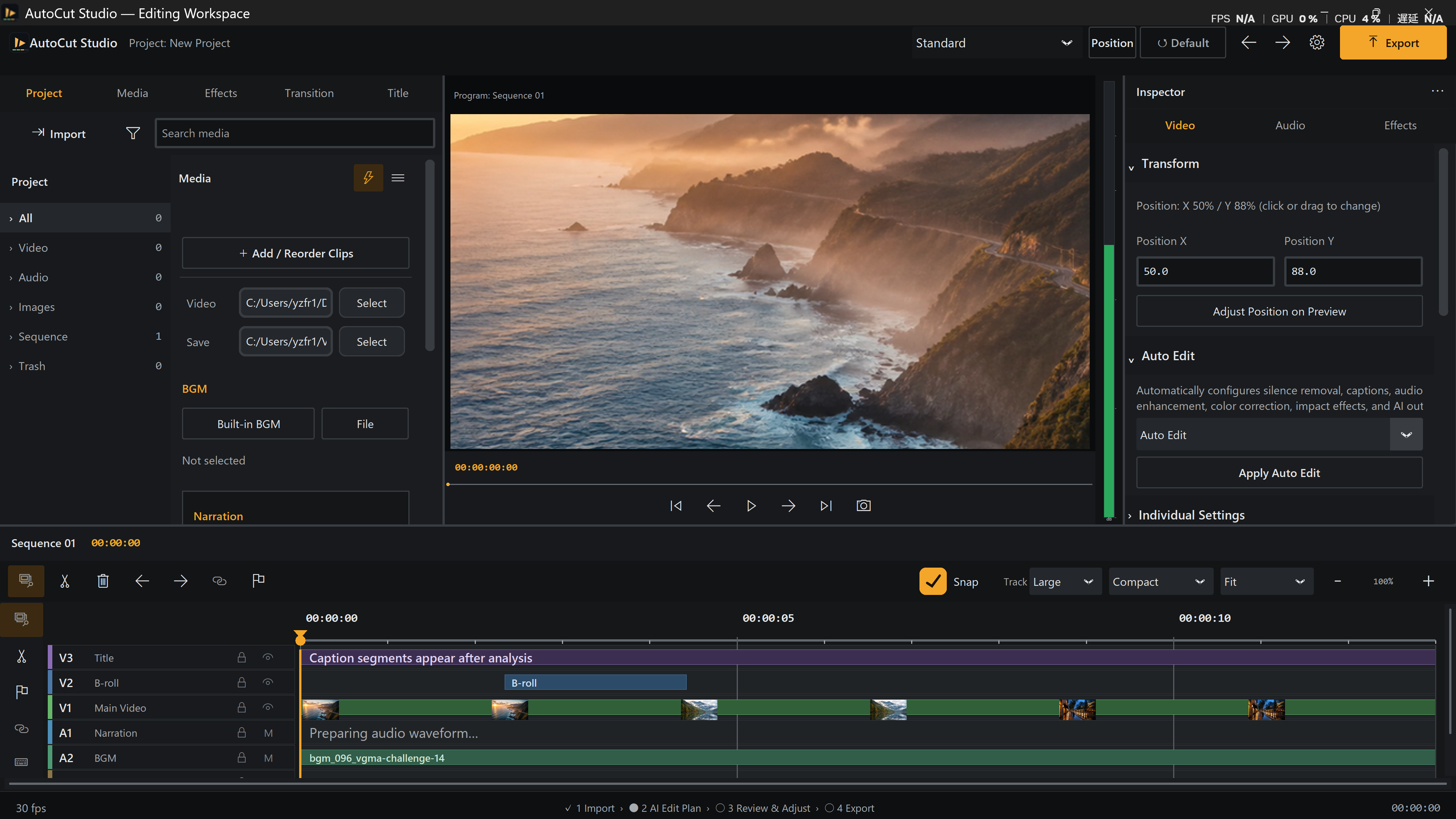
Keep media, adjustments, and the timeline in view.
The Standard workspace brings media import, video preview, inspector controls, and a multi-track timeline into one screen. Review the coastal footage while checking position, Auto Edit, BGM, and narration.
- Step 02
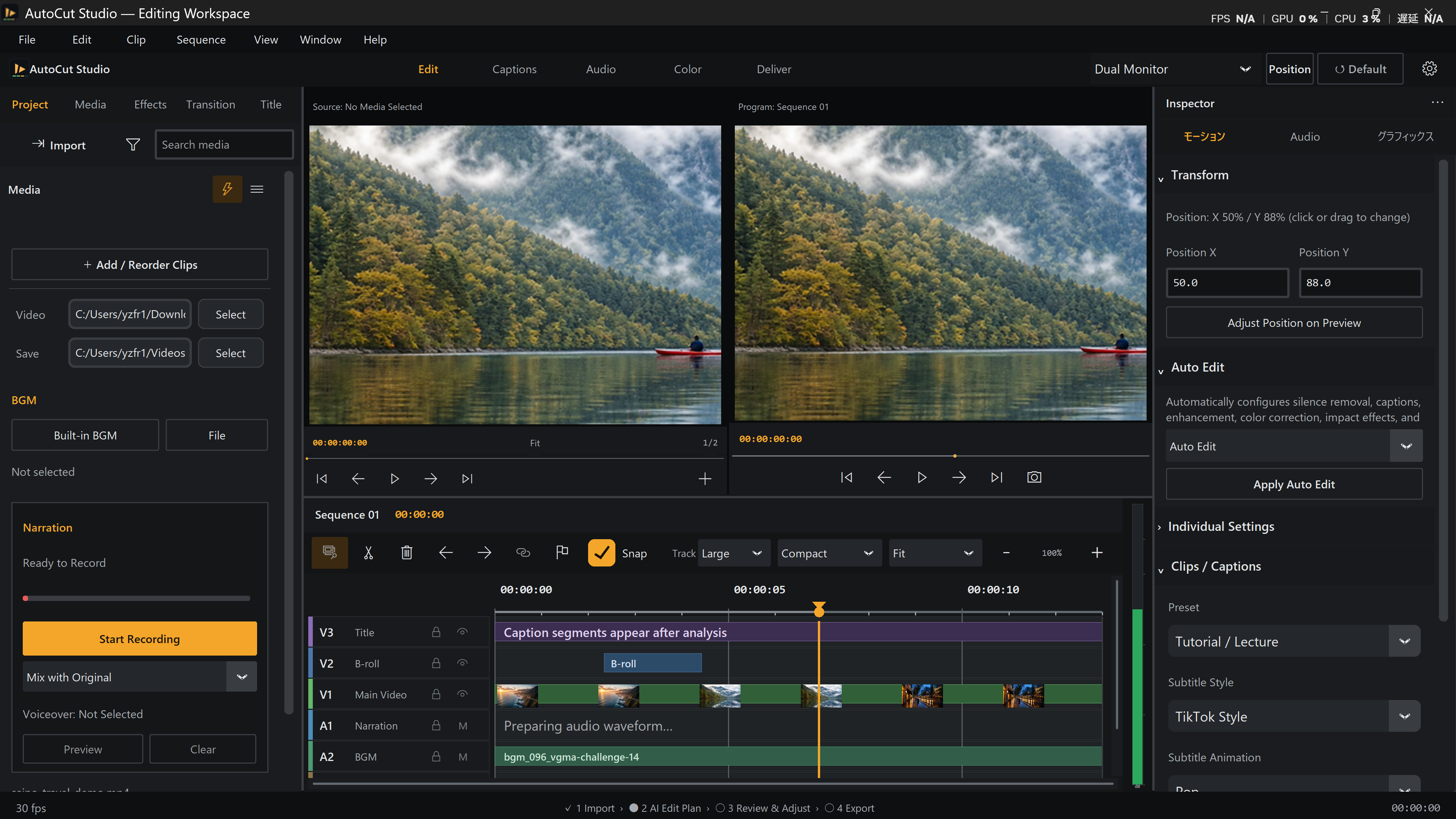
Place two views side by side and inspect the difference.
Dual Monitor shows the source and program views together. Compare the same mountain-and-lake footage while checking changes to cuts, position, colour, and effects.
- Step 03
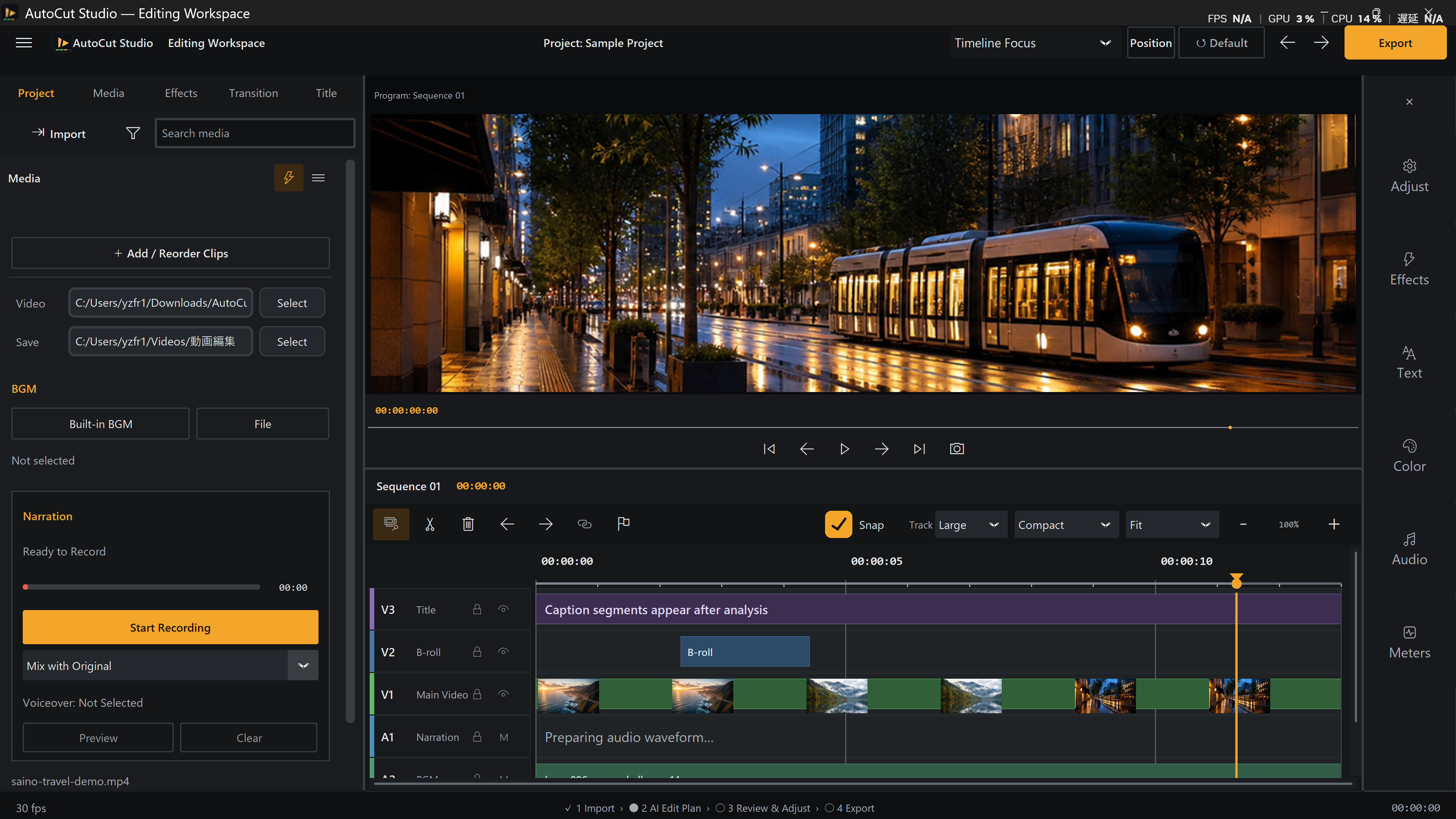
Focus on the picture and every layer of the timeline.
Timeline Focus enlarges the preview and timeline. Review the city tram footage while refining the timing and overlap of the main video, B-roll, captions, narration, and BGM.
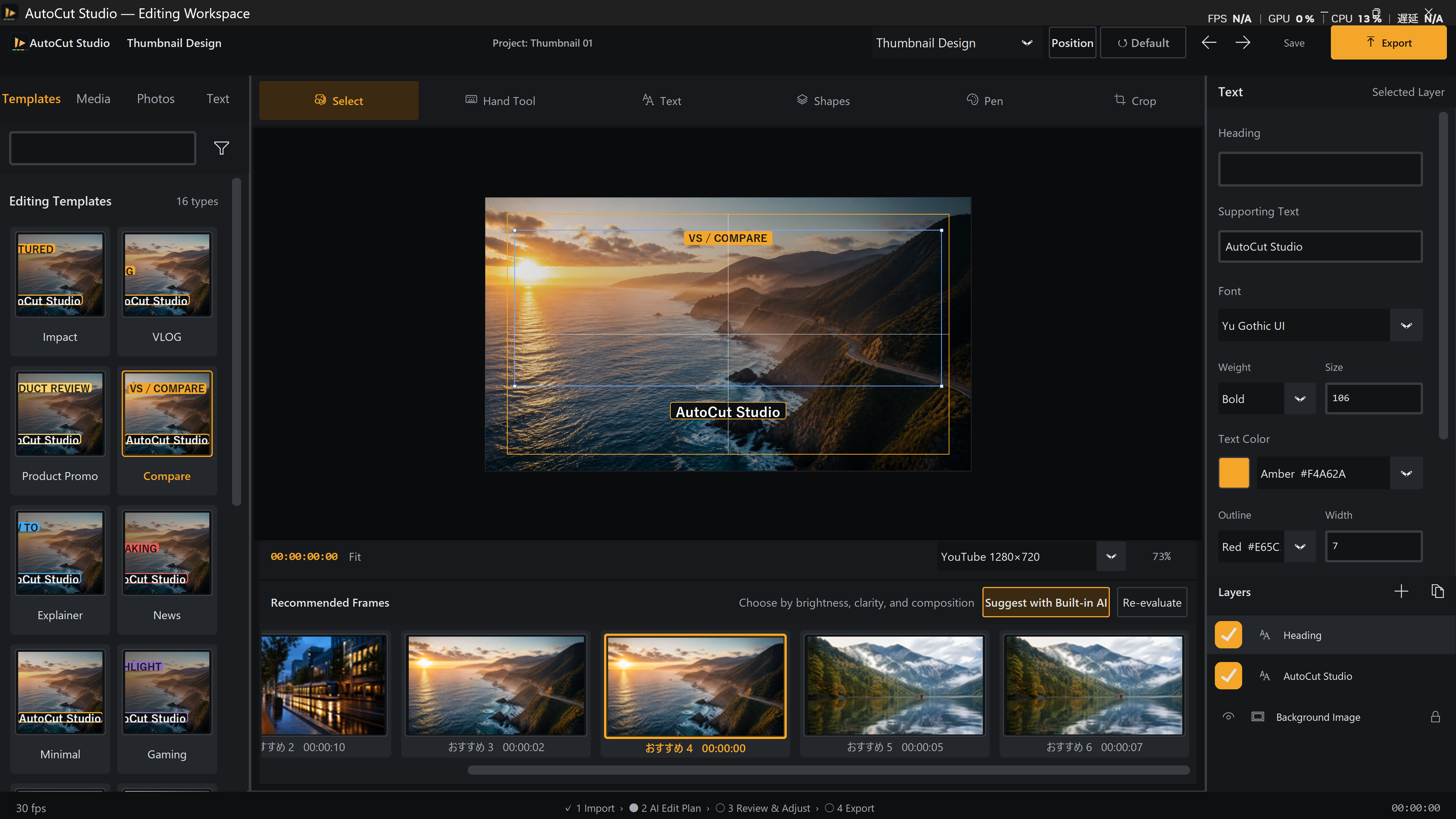
- Step 04
Turn a strong frame into a thumbnail that communicates.
Thumbnail Design combines candidate frames and templates with text, shapes, and layers. Use the coastal composition as the foundation and finish a thumbnail that matches the video in the same application.
Go one level deeper
Review the workflow, practical use cases, required setup, capabilities, specifications, and frequently asked questions for this product.
Let’s turn an idea into something real.
Ask about a product or a custom website, web application, desktop application, or software project. Early ideas are welcome.